Wikiloc is one of the most popular community-driven hiking platforms and probably the most internationally diverse one, with trail contributions from hikers all over the world. It's particularly popular in Southern Europe and South America, and since most of my hikes take place in the Balkan peninsula, it's a natural choice for me - there's a healthy density of routes shared by local hikers. That community aspect really matters when you're looking for reliable trails in your region.
Like all the other community-driven hiking platforms, Wikiloc is built around outdoor routes and allows people to:
- record hikes, walks, and other outdoor activities
- upload those tracks to a shared platform
- gradually build a personal history of outdoor trips
- discover routes created by others
- follow existing trails in the field
It works through a web app and mobile apps, and each plays a slightly different role.
- the web app is used mainly for browsing, reviewing, and organizing
- the mobile app is used on the trail for navigation and recording
All the functionality of the web app is also available in the mobile app, but some things are just easier to be done on a larger monitor in the web app.
Wikiloc on the Web
I use the Wikiloc web app as the central point for planning and managing my hiking activities. It's where I explore tracks shared by hikers I follow and identify potential destinations. Promising routes are saved to curated lists for later comparison and analysis. Once I've settled on a specific mountain or area, I use Wikiloc to evaluate and select suitable tracks to follow.
The web app also serves as my primary archive, where I upload and organize recorded tracks, regardless of whether they were captured using Wikiloc itself or another tracking app.
My hiking profile as a living logbook
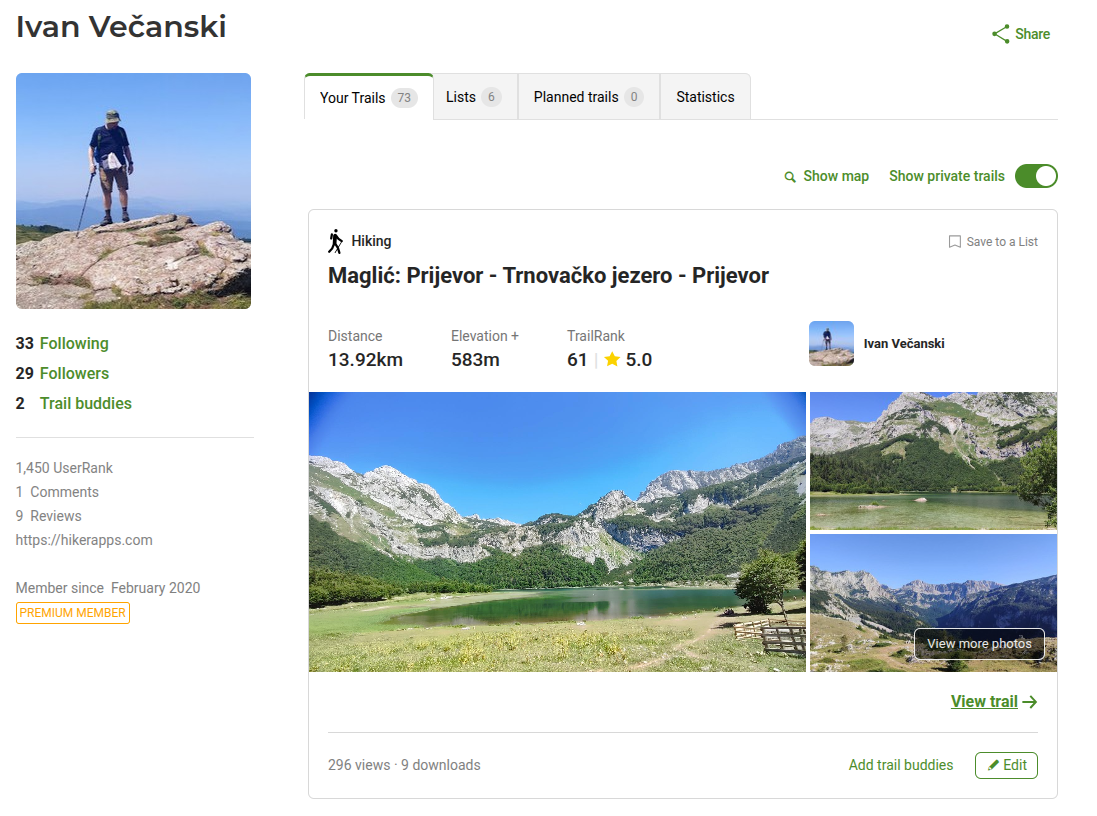
Over time, my Wikiloc profile has become a personal archive of hikes I've done - places I've been to, routes I've walked, trips I'd otherwise slowly forget the details of.
Each recorded hike ends up there, documented with my photos and comments, visualized on a map, and easy to revisit later. It's not something I actively "maintain"; it just grows naturally as I hike.
Wikiloc adds a TrailRank to each trail, which provides an indication of how well is the trail described, the number of waypoints added, reviewed by the community, etc. It also adds a UserRank to a users profile, which is a reflection of how many trails has the user added and how well are they rated by the community.
Individual hike pages
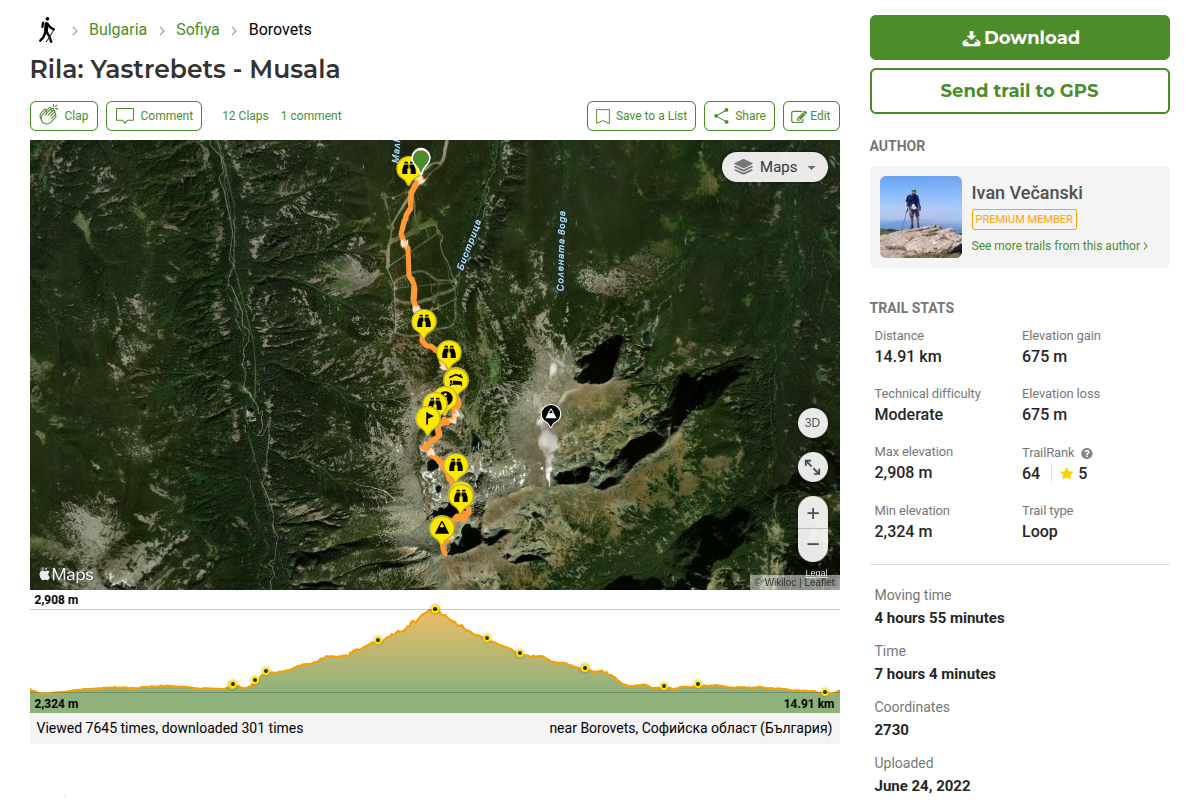
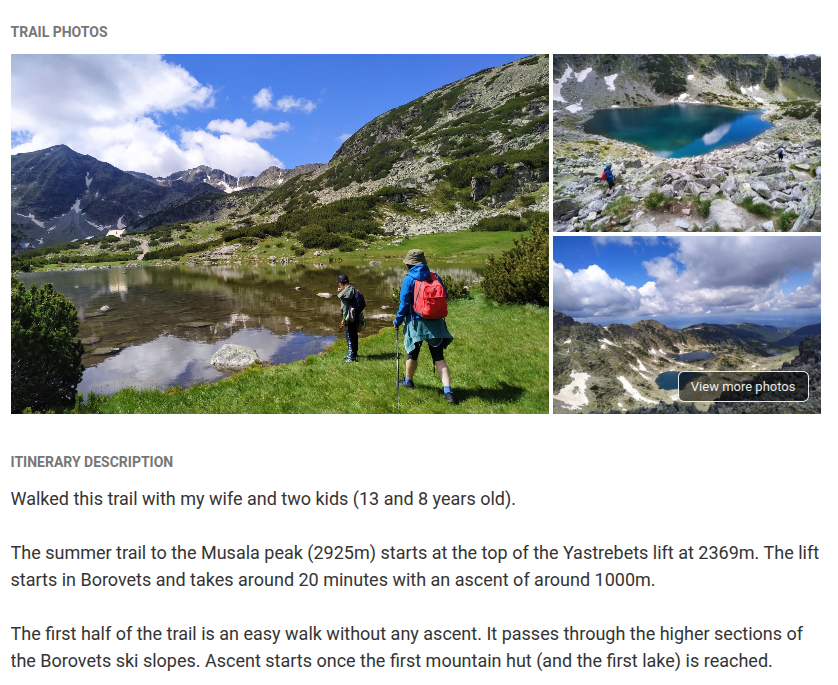
Each hike on Wikiloc has its own dedicated page, which acts as a complete reference for that route. Besides the GPX track itself, you'll typically find photos, a short description, total distance, cumulative elevation gain, estimated time, and other practical details contributed by the person who recorded it.
This combination of track data and real-world context makes it much easier to judge whether a hike fits your fitness level, available time, and conditions on the ground. Below is an example from one of my own hike pages:
The social aspect
Wikiloc is social, but in a very low-key way - and that's a good thing.
I follow a handful of hikers whose tracks I've learned to trust. I get a weekly email with a summary of trails they've uploaded the previous week, and I enjoy checking these routes and potentially adding them into my "maybe someday" list.
Comments and ratings on individual routes help add context, but they never feel noisy or distracting.
Wikiloc on mobile: where it becomes a tool
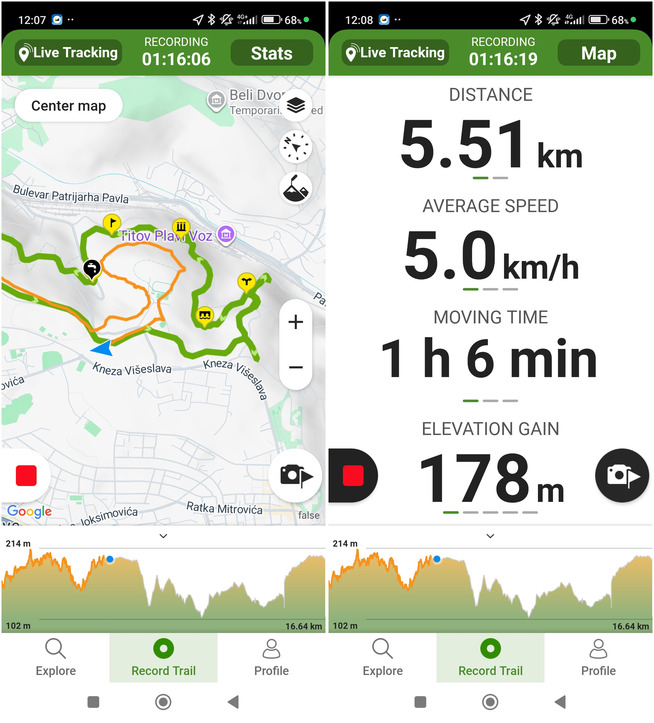
While the web app is about discovery and reflection, the mobile app is what you'd actually use on the trail. When I first started hiking, Wikiloc was the only hiking app I used. Over time, I began trying out other navigation, route following and track recording apps as well, so I don't rely on it quite as exclusively as I once did. But Wikiloc does perform well on all the main features we would use on a hike:
- Getting to the start of the trail
- Following an existing trail
- Getting notified if you're leaving the followed trail
- Recording a track (can be done together with following a trail)
- Adding waypoints while recording a track, adding photos
Here are some screenshots of the Wikiloc mobile app in action:

Free vs Paid (Premium)
You can use Wikiloc for free to browse trails, record hikes, and maintain a hiking profile. However, one important feature missing from the free version is the ability to follow trails uploaded by other users.
A workaround is to download the GPX track from the Wikiloc website and upload it into another app that allows navigation, such as GPX Viewer.
I pay for Premium (10 USD/year), and for me it's well worth it. The main premium features I use are:
- Outdoor navigation - following trails from other users
- Route planner - creating custom routes on the map
- Peak identifier with augmented reality, similar to Peak Finder
- Live tracking - sharing my location with others, similar to Glympse
If you hike often and rely on navigation, the subscription is well worth it. But it's not something you need to decide on day one.
Final Notes
At its core, Wikiloc is built around sharing real outdoor experiences between people who actually explore the trails. The platform encourages curiosity and exploration, but just as importantly, it promotes responsible use of nature - respecting the environment and helping preserve outdoor spaces for others.
For a broader comparison of community hiking platforms and when you might choose Wikiloc over alternatives like Komoot or AllTrails, see my article on community-driven hiking platforms.
Comments
Powered by FastComments