If you're the kind of hiker who can spend hours just looking at maps, CalTopo will feel less like a tool and more like a playground. At its core, CalTopo lets you layer different map sources, tweak contour visibility, experiment with shading, and build a map that matches exactly how you see the terrain. The result isn't just functional - it's often beautiful, detailed, and deeply personal.
But CalTopo isn't only about aesthetics. Under the surface, it's a highly capable planning tool. Its route builder is precise and flexible, allowing you to sketch out anything from a quick local walk to a multi-day backcountry adventure with confidence. Whether you're analyzing elevation profiles or fine-tuning a route to avoid tricky terrain, it gives you a level of control that most hiking apps simply don't offer.
In practice, CalTopo shines across the full hiking workflow. Many users start on desktop, where the large screen makes it ideal for creating and customizing maps, layering data, and preparing routes. Those maps can then be printed for offline use or synced to your phone, where the mobile app becomes a reliable companion for navigation and track-following in the field.
This combination of flexibility and depth is exactly why CalTopo has earned a strong reputation beyond recreational hiking. It's widely used by professionals, including search and rescue (SAR) teams, who rely on its advanced mapping capabilities when precision and situational awareness really matter.
In short, CalTopo bridges the gap between map artistry and serious backcountry planning - and does both exceptionally well.

Building Maps
This is where CalTopo truly stands apart. The map builder isn't just a feature - it's the core experience. You can stack multiple map layers (topo, satellite, shaded relief, slope angle, and more), adjust their opacity, and fine-tune how the terrain is visualized.
Contours can be emphasized or softened, shading can reveal subtle terrain features, and overlays can highlight exactly what matters for your trip. The result is a map that feels crafted, not generated. For hikers who enjoy understanding the landscape before stepping into it, this level of control is incredibly satisfying.
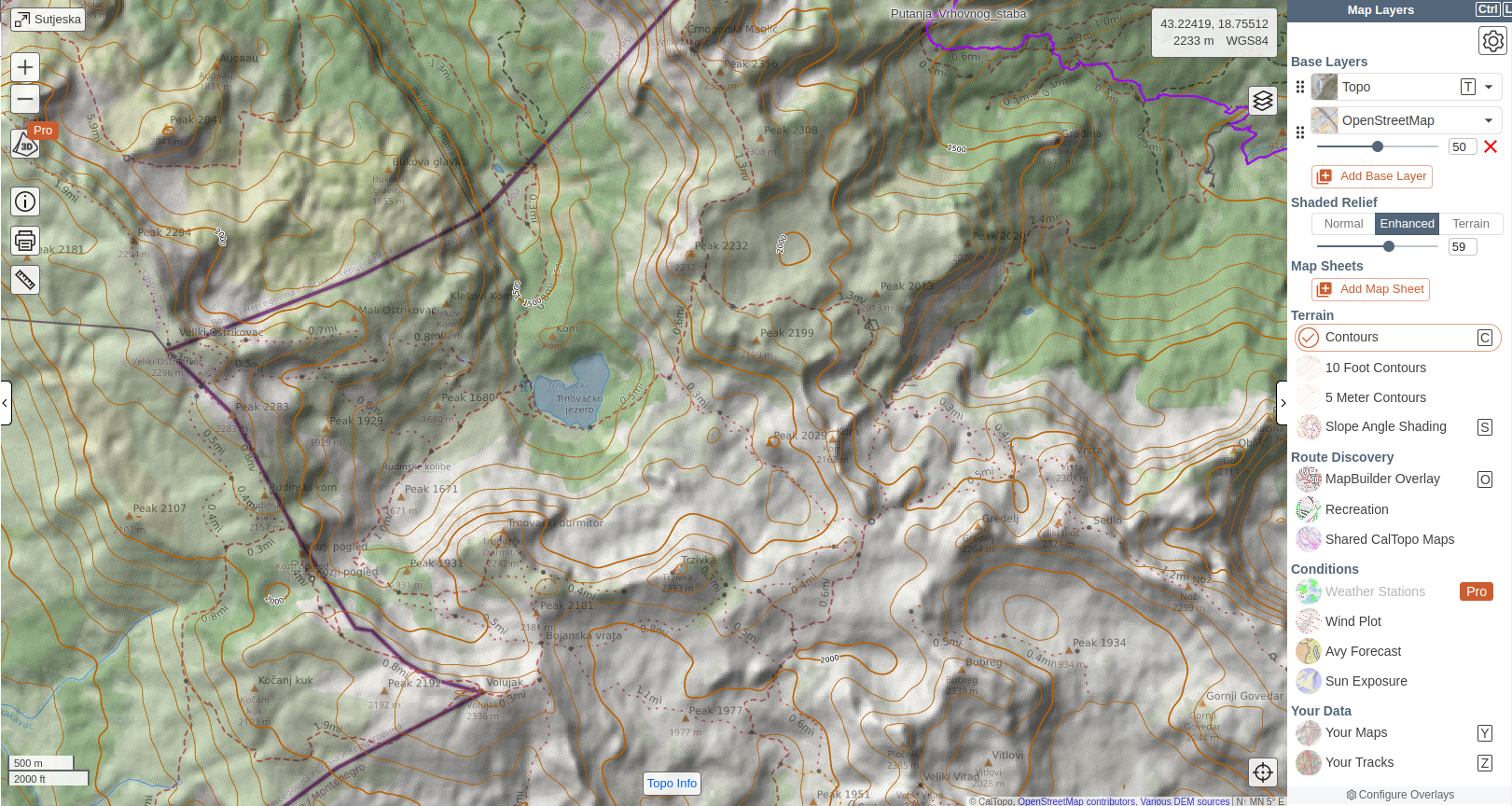
As an example, the following map is an overlay of the Topo and OpenStreeMap, with 50% opacity, an enhanced shaded relief and counturs added.
Printing Maps
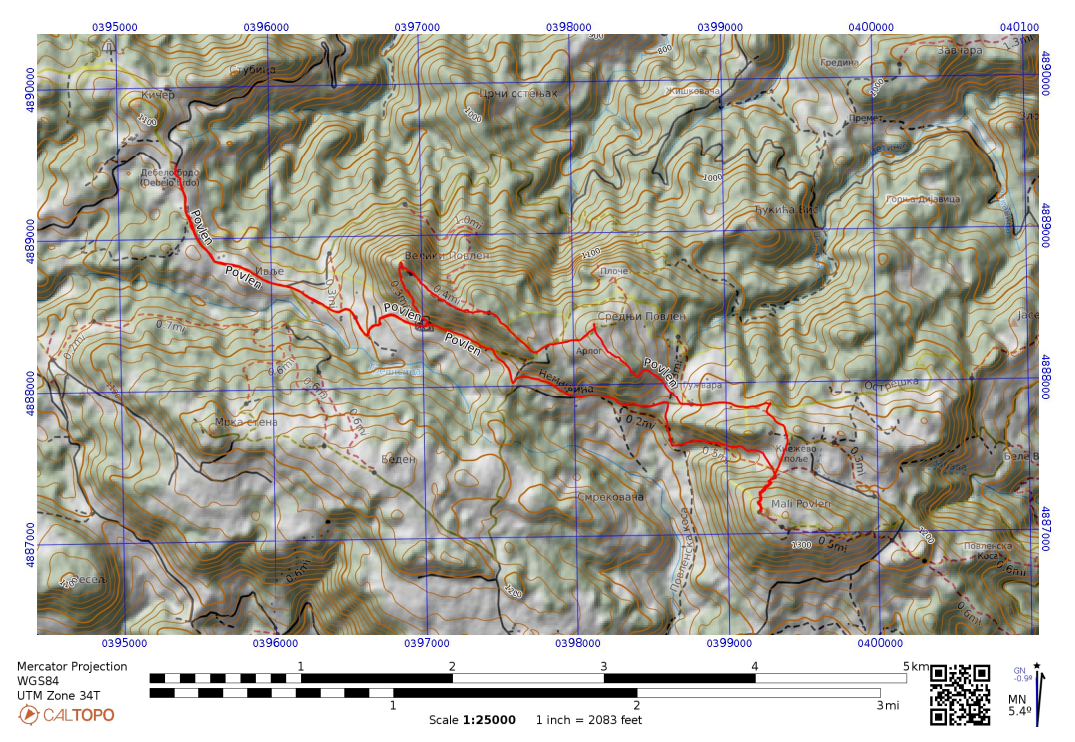
One of CalTopo's most underrated strengths is how well it bridges the digital and physical worlds. Once you've built your map, you can export it into a clean, high-resolution printable format, complete with grid lines, scale, and coordinate systems.
The printed maps are genuinely field-ready, making CalTopo a favorite among hikers who still value paper navigation as a backup (or even a primary tool). In CalTopo, printing feels like a natural part of the app, not something added as an afterthought.
The first of the following screenshots shows CalTopo's Printing screen in action and the second one a screenshot of the generated map, which you can print and carry as a physical map.
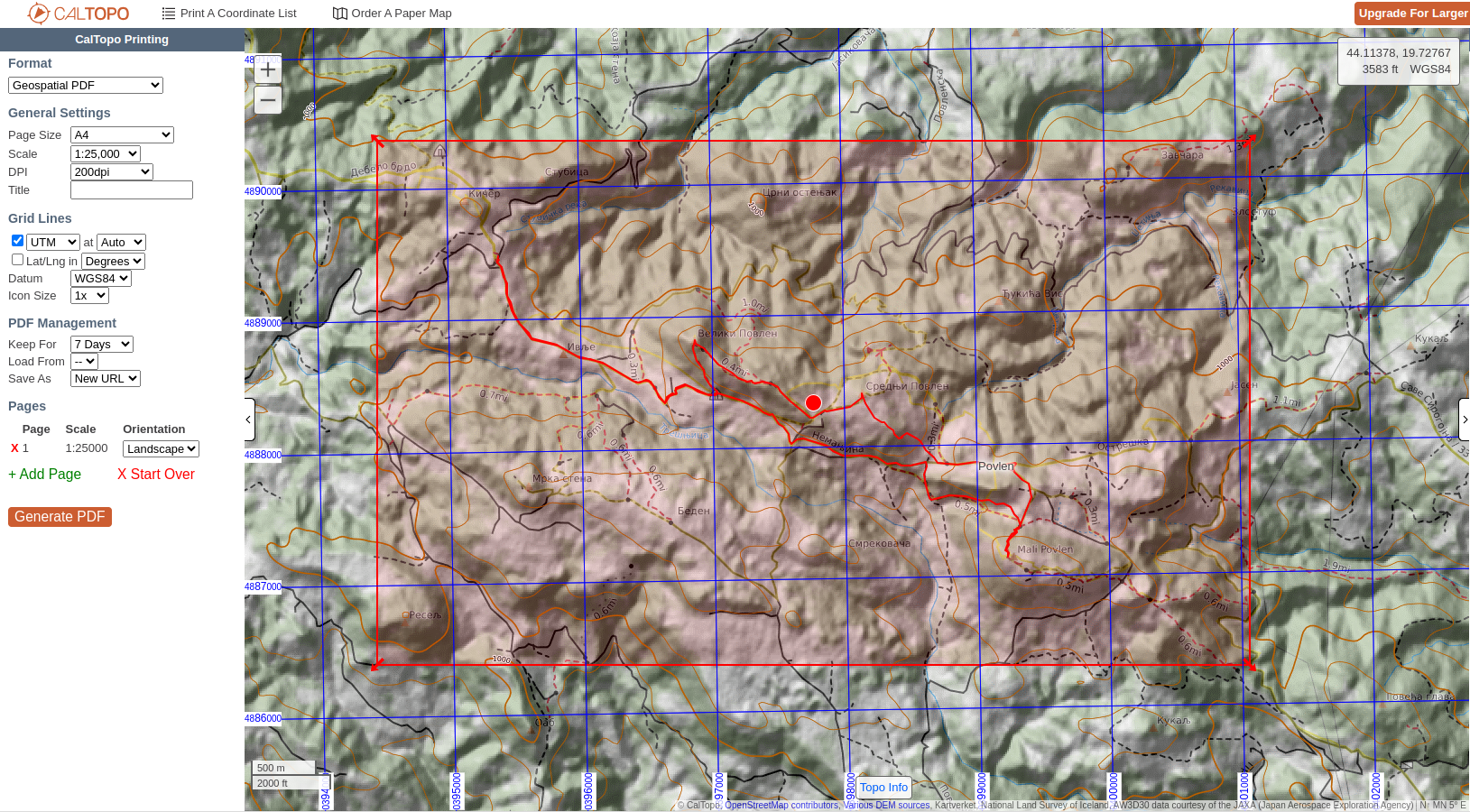
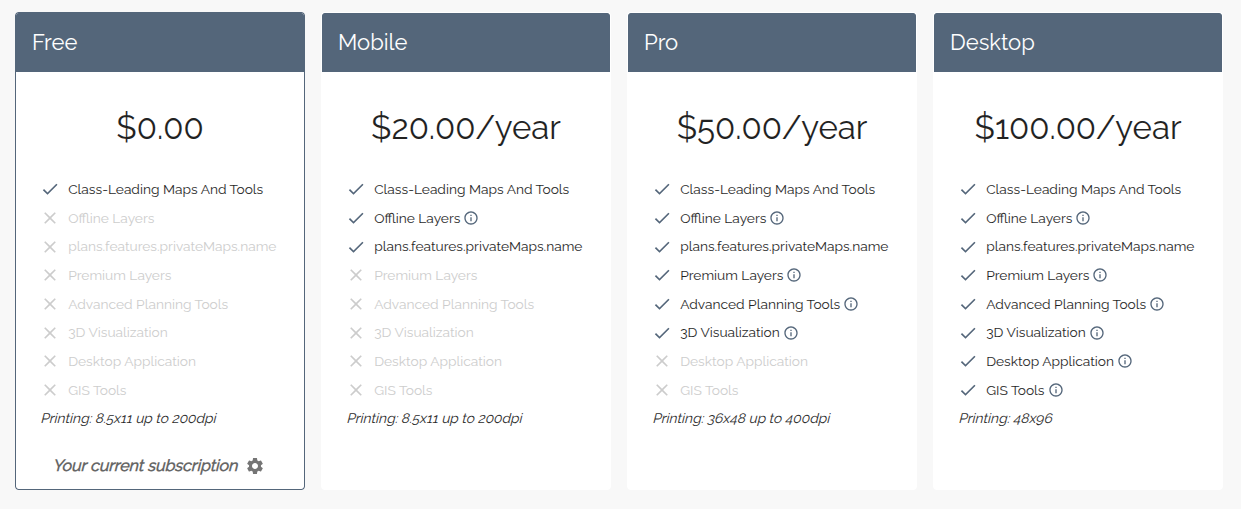
It should be noted that with the Free and Mobile plans you you'll be limited to 8.5″ x 11″ sheets with a max of 200dpi. This increases with the Pro and Desktop plans.
Planning Routes
Route planning in CalTopo strikes a nice balance between precision and flexibility. You can snap your route to existing trails, or draw it manually where trails don't exist, giving you full control. Along the way, the app provides detailed stats - distance, elevation gain, profiles - that help you understand what you're committing to.
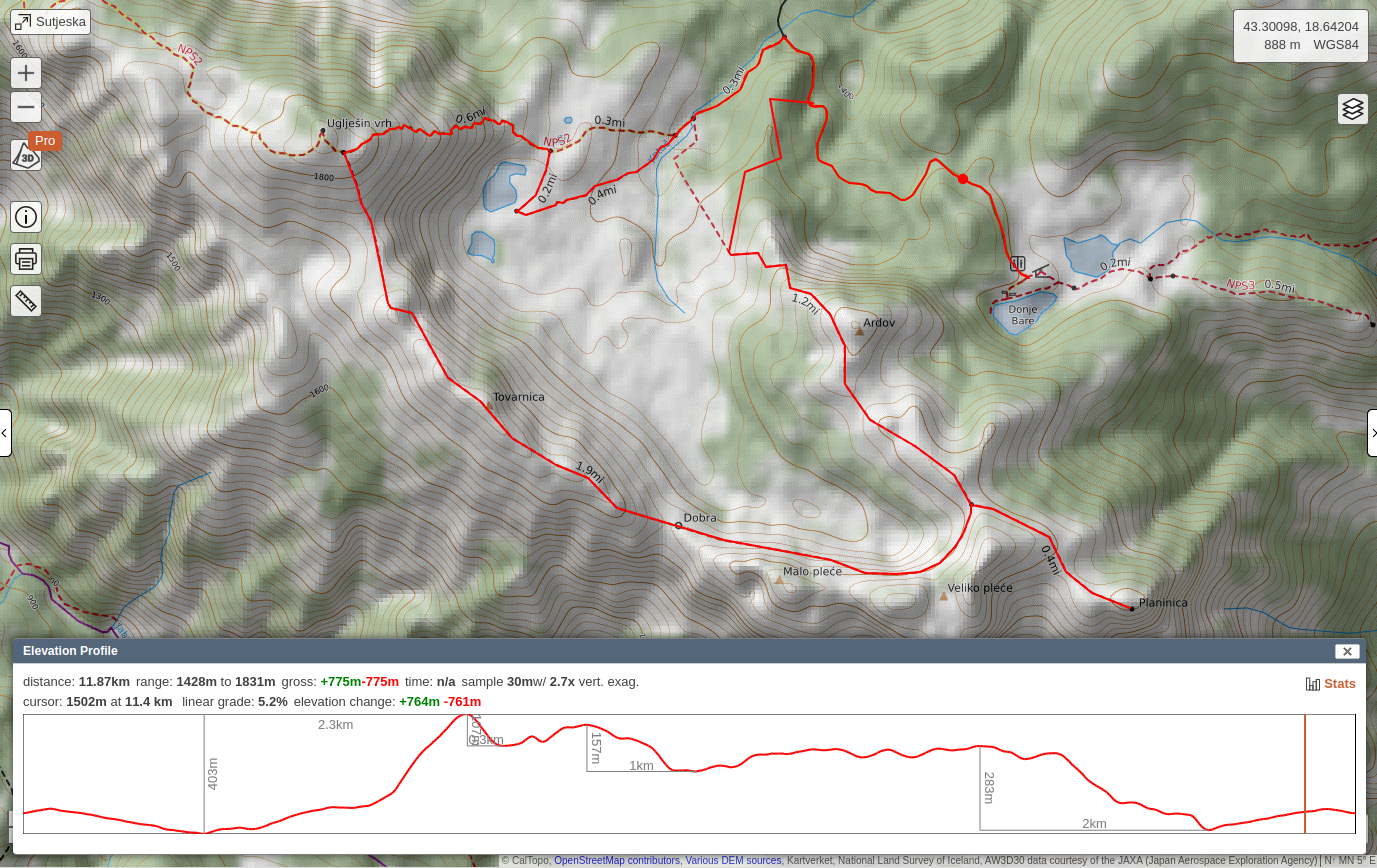
What makes it particularly powerful is how tightly it integrates with the map-building experience. You're not just drawing a line - you're planning within a rich, customizable view of the terrain. That context makes a big difference when navigating complex landscapes.
The following video demonstrates how to plan a route in CalTopo:
Following Routes
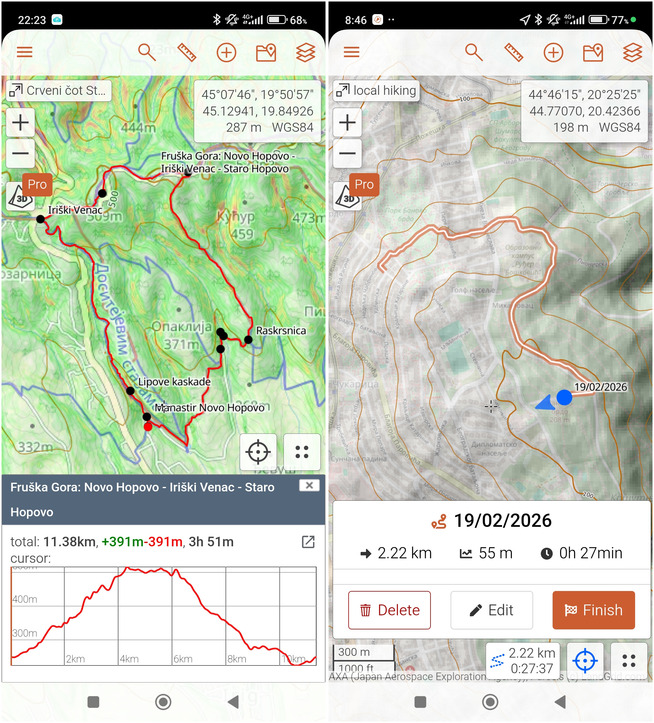
On mobile, CalTopo shifts from a planning tool to a field companion. Your maps and routes sync seamlessly even on a free plan, and you can follow them in real time with GPS tracking.
The experience is intentionally straightforward: your position on the map, your planned route, and the terrain context you prepared earlier. Offline maps ensure reliability even without signal, which is essential for remote hikes. It's not overloaded with flashy navigation features - but it's dependable, and that's what matters outdoors. Note that the offline maps are not available in the Free plan, only with a Mobile plan or higher.
Pricing
CalTopo offers a tiered pricing model, with a surprisingly capable free version that covers basic map building, route planning and syncing between desktop and mobile. For many casual users, that's enough to get started.
Paid plans unlock more advanced layers, higher-resolution maps, offline downloads, and additional tools that power users will appreciate. The pricing feels fair for what's offered - especially considering how specialized some of the features are.
The plans as off March 2026 are:
For up to date subscription plans please visit Caltopo
Comments
Powered by FastComments